QuickBooks has likely been a reliable part of your business for years. It’s familiar, affordable, and gets the job done—until it doesn’t. As your company grows, you may start to feel like you’re forcing a small-business accounting tool to handle enterprise-level complexity. More entities, more projects, more people, more data. And suddenly, the workarounds pile up.
If you’re spending more time managing QuickBooks than using it to make decisions, you’re not alone. Growing businesses routinely hit real, structural QuickBooks limitations. These aren’t user errors or setup issues. They’re signs that your business has evolved beyond what QuickBooks Online or Desktop was designed to support.
This article walks through seven clear warning signs you may have outgrown QuickBooks. It also explains what Intuit Enterprise Suite (IES) is—and isn’t—and how it fits as a next step for businesses that need more power without jumping into a massive, expensive ERP. The goal isn’t to sell you software. It’s to help you assess where you are and decide what to do next.
Key Takeaways
- QuickBooks Online and Desktop work well for many businesses, but growth creates complexity they weren’t built to handle
- Common warning signs include manual multi-entity management, limited reporting, user or transaction caps, and poor project visibility
- Intuit Enterprise Suite is a cloud-based ERP designed for businesses that have outgrown QuickBooks
- IES supports multi-entity accounting, advanced reporting, and real-time insights without the overhead of traditional ERPs
- Peak Advisers is officially certified in Intuit Enterprise Suite and helps businesses evaluate, implement, and migrate with minimal disruption
What Intuit Enterprise Suite actually is (and isn’t)
Let’s clear up a common point of confusion first.
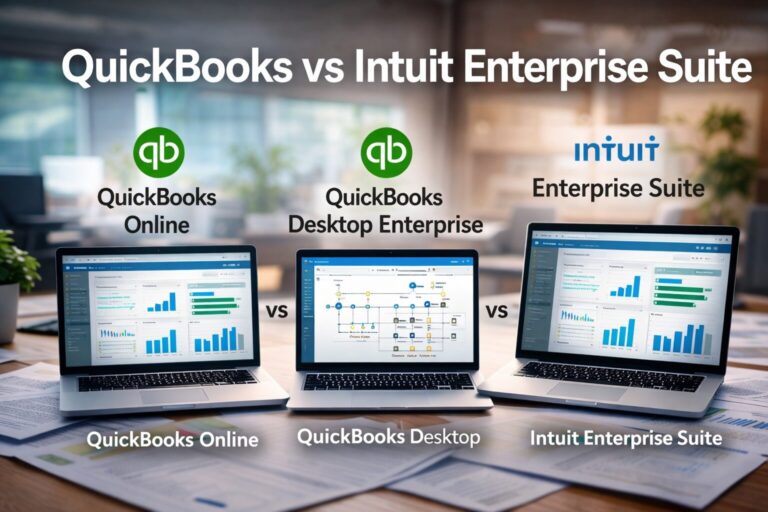
Intuit Enterprise Suite is not QuickBooks Desktop Enterprise. While the names sound similar, they are very different products built for different stages of growth.
Intuit Enterprise Suite is a cloud-based ERP platform built by Intuit for businesses that have outgrown standard QuickBooks. It sits between QuickBooks Online/Desktop and traditional ERPs like NetSuite or SAP. You get enterprise-grade capabilities without losing the familiarity of the QuickBooks ecosystem.
IES includes:
- Multi-entity accounting with automated consolidation
- Multi-dimensional reporting without an inflated chart of accounts
- Advanced job and project tracking
- Scalable users, transactions, and workflows
- Deep integrations with payroll, payments, CRM, and industry tools
It’s designed for growing businesses in construction, non-profits, professional services, and retail—especially those juggling complexity across entities, projects, or locations.
If you’re unsure whether your business needs this level of functionality, the warning signs below will help you self-assess.
Warning Sign #1: You’re managing multiple entities in separate QuickBooks files
Running multiple LLCs, divisions, or locations in separate QuickBooks files is common—but it doesn’t scale well.
Each month, you’re likely exporting reports, manually consolidating financials, and double-checking that everyone is working in the right file. Intercompany transactions require journal entries and spreadsheets. One small error can throw off everything.
Why this matters:
Multi-entity businesses need a consolidated view of performance, not fragmented snapshots. Leadership decisions suffer when financials are delayed or unreliable.
What IES does differently:
Intuit Enterprise Suite includes native multi-entity accounting. You can manage multiple entities in one system, handle intercompany transactions properly, and generate consolidated or entity-level reports in real time.
Clear signal: If you’re combining entity reports in Excel every month, you’ve likely outgrown QuickBooks.
Warning Sign #2: Your reports don’t give you the insights you actually need
QuickBooks reporting works for basic needs. But once you want to analyze profitability by department, location, project type, funding source, or customer segment, it quickly becomes restrictive.
The usual workaround is more accounts, more classes, or exporting data to spreadsheets. That adds complexity without clarity.
Why this matters:
Growing businesses need insight, not just compliance reports. You should be able to answer questions like “Which services are actually profitable?” without hours of manual work.
What IES does differently:
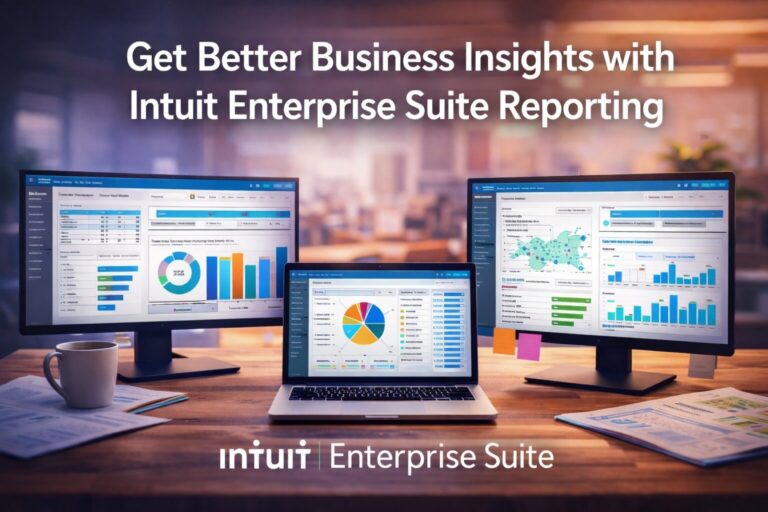
IES uses multi-dimensional accounting. You can tag transactions across multiple dimensions—department, location, project, program, or custom fields—without bloating your chart of accounts.
For a deeper dive, see the blog about how multi-dimensional accounting helps you view your finances more clearly.
Clear signal: If reporting requires heavy Excel manipulation, you’re hitting real QuickBooks limitations.
Warning Sign #3: You’ve hit QuickBooks user, transaction, or feature limits
QuickBooks has hard limits—on users, data volume, inventory complexity, and features. As your team grows, those limits show up fast.
You may be paying for multiple subscriptions, restricting access, or deleting historical data just to keep the system running.
Why this matters:
Workarounds increase risk. They also cost more over time than investing in the right system.
What IES does differently:
Intuit Enterprise Suite scales with your business. Users, transactions, and complexity are designed to grow without artificial caps.
Clear signal: If you’re archiving data or juggling licenses to stay within limits, you’ve likely outgrown QuickBooks.
Warning Sign #4: Project or job profitability is a nightmare to track
For construction, professional services, and project-based organizations, job costing is critical. QuickBooks can handle basic project tracking, but it struggles with real-world complexity.
Change orders, budget revisions, labor allocation, and cost-to-complete analysis often live outside the system.
Why this matters:
If you can’t see real-time project profitability, you can’t price accurately, staff effectively, or manage risk.
What IES does differently:
IES offers advanced job costing with budget vs. actuals, change order tracking, cost-to-complete forecasting, and real-time project financials.
Clear signal: If your team reconciles project costs in spreadsheets, QuickBooks is holding you back.
Warning Sign #5: You’re using multiple disconnected tools to fill QuickBooks gaps
Over time, many businesses bolt on tools to compensate for QuickBooks gaps—inventory systems, CRMs, project management software, payroll platforms, and reporting tools.
Each system solves one problem but creates another: syncing issues, duplicate data, and inconsistent reporting.
Why this matters:
Disconnected systems waste time and erode trust in your numbers.
What IES does differently:
Intuit Enterprise Suite is built as an integrated platform. It connects natively with payroll, payments, Mailchimp, and industry-specific apps—reducing the need for fragile integrations.
Clear signal: If reconciling systems is a weekly task, it’s time to rethink your stack.
Warning Sign #6: Month-end close takes too long and involves too many people
A long close is often a symptom of deeper system issues. Manual consolidations, error correction, and last-minute adjustments slow everything down.
Instead of analyzing results, your team is just trying to finish.
Why this matters:
Delayed financials delay decisions. Leadership can’t act on information they don’t have.
What IES does differently:
IES automates workflows, handles intercompany eliminations, and provides real-time visibility—reducing close time and manual effort.
Clear signal: If close week feels like a fire drill every month, you’ve outgrown your current setup.
Warning Sign #7: You’re considering a full ERP but worried about cost and complexity
At some point, many businesses look at ERPs like NetSuite or Dynamics—and hesitate. The price, implementation time, and complexity feel overwhelming.
You need more than QuickBooks, but not a system built for global enterprises.
Why this matters:
Staying put slows growth. Jumping too far creates unnecessary risk.
What IES does differently:
Intuit Enterprise Suite is designed for this exact gap. It offers enterprise-grade functionality with QuickBooks familiarity and faster implementation—95% of customers go live in under 30 days.
Clear signal: If QuickBooks isn’t enough but big ERP feels like too much, IES deserves a closer look.
What to do if you recognize these warning signs
If three or more of these warning signs sound familiar, it’s worth exploring whether Intuit Enterprise Suite fits your business.
A practical next step looks like this:
Step 1: Download the IES Strategic Decision Guide
This guide helps you evaluate readiness based on revenue, complexity, and growth plans.
Step 2: Schedule a consultation
A focused conversation can clarify whether IES is appropriate—or if optimizing your current system makes more sense. Please use this link to schedule a meeting with us.
Step 3: Assess readiness honestly
Consider your entity structure, reporting needs, team size, and growth trajectory. There’s no benefit to upgrading too early or too late.
Peak Advisers is officially certified in Intuit Enterprise Suite. We help businesses assess, migrate, and implement—without disruption or guesswork. Learn more about our IES services.
The Bottom Line
Outgrowing QuickBooks isn’t a failure. It’s a sign your business is succeeding—and evolving.
For many growing organizations, Intuit Enterprise Suite provides the middle ground between QuickBooks and traditional ERP. It addresses real QuickBooks limitations without introducing unnecessary complexity.
If you’re starting to feel friction, trust that instinct. You’re not imagining it—and you’re not alone.
Ready to explore whether Intuit Enterprise Suite is right for your business? Download the IES Strategic Decision Guide or use the button below to schedule a free consultation.
FAQ
How do I know if I’ve outgrown QuickBooks?
You’ve likely outgrown QuickBooks if growth has introduced complexity the system can’t handle efficiently. Common signs include managing multiple entities in separate files, relying on spreadsheets for reporting, struggling to track project profitability, or hitting user and transaction limits. These are structural QuickBooks limitations—not setup issues.
Is Intuit Enterprise Suite the same as QuickBooks Desktop Enterprise?
No. Intuit Enterprise Suite is not QuickBooks Desktop Enterprise.
QuickBooks Desktop Enterprise is an upgraded desktop product with higher limits. Intuit Enterprise Suite is a cloud-based ERP designed for businesses that have outgrown both QuickBooks Online and Desktop. It supports multi-entity accounting, advanced reporting, and scalable workflows without desktop constraints.
When should a business upgrade from QuickBooks to Intuit Enterprise Suite
Most businesses begin evaluating Intuit Enterprise Suite when they reach $2M–$50M+ in revenue and experience increased complexity—such as multiple entities, more users, or advanced reporting needs. If QuickBooks feels restrictive instead of supportive, it’s usually the right time to explore an upgrade.
Is Intuit Enterprise Suite a full ERP?
Intuit Enterprise Suite delivers ERP-level capabilities, but it’s built specifically for mid-market, growing businesses. It offers advanced functionality without the cost, long implementations, or complexity of traditional ERPs like NetSuite or SAP. Many users find it easier to adopt because it’s designed within the Intuit ecosystem.
How can Peak Advisers help with Intuit Enterprise Suite?
Peak Advisers is officially certified in Intuit Enterprise Suite. We help businesses evaluate whether IES is the right fit, plan a smooth transition, and implement the system with minimal disruption. Our role is to provide clear guidance so you can make informed decisions—without guesswork.