Choosing the right Intuit financial management solution is crucial for keeping your business running smoothly. Whether you need a cloud-based solution, advanced accounting tools, or enterprise-level automation, this guide breaks down the key differences between:
✅ QuickBooks Online (QBO) – Best for small-to-mid-sized businesses needing cloud access.
💻 QuickBooks Desktop Enterprise – Best for businesses requiring advanced features and local control.
☁️ Intuit Enterprise Suite (IES) – A cloud-based, AI-powered solution for multi-entity enterprises.
Let’s dive into the details to help you decide which version is right for your business.
QuickBooks Online (QBO) – Best for Small & Growing Businesses
Best for: Small-to-mid-sized businesses that need cloud-based accounting, mobile access, and easy collaboration.
Key Features:
- Cloud-Based Access – Work from anywhere, anytime.
- Automatic Updates – No manual software installations.
- Mobile-Friendly – Manage invoices, payments, and reports from your phone.
- Integrations – Works with Shopify, PayPal, and 750+ apps.
- Real-Time Multi-User Access – Great for remote teams.
Considerations:
- Limited Offline Access – Requires an internet connection.
- Fewer Advanced Features – Less robust than Desktop for job costing & inventory.
Who Should Use QBO?
- Service-based businesses that don’t need complex inventory tracking.
- Businesses looking for scalability without IT overhead.
- Teams that require anytime, anywhere access.
📌 Need help migrating to QBO? Let Peak Advisers guide you!
QuickBooks Desktop Enterprise – Best for Advanced Accounting & Local Control
Best for: Midsize businesses, accountants, and industries needing in-depth financial reporting and inventory management.
Key Features:
- Local Software Control – No reliance on internet speed.
- Advanced Accounting Features – Stronger job costing, reporting, and automation than QBO.
- Custom Reporting & Data Tracking – More flexibility for industry-specific needs.
- Advanced Inventory & Batch Processing – Track inventory across multiple locations.
- Industry-Specific Editions – Special tools for manufacturing, construction, and nonprofits.
Considerations:
- No Built-In Cloud Access – Requires third-party hosting for remote use.
- Monthly or Annual Licensing – Discount for annual purchase.
- Manual Updates & Maintenance – Users must install updates.
Who Should Use QuickBooks Desktop?
- Businesses with complex inventory and reporting needs.
- Companies that prefer a one-time software purchase.
- Accountants and finance pros who need in-depth financial control.
📌 Need help upgrading to QuickBooks Desktop? Talk to a Peak Advisers expert!
Intuit Enterprise Suite (IES) – A Cloud-Based, AI-Powered Solution for Complex Businesses
Best for: Mid-market to large enterprises that need an integrated, cloud-based system for multi-entity financial management.
Key Features:
- Fully Cloud-Based – Unlike QuickBooks Desktop, IES is a true SaaS solution.
- AI-Powered Automation – Streamlines workflows for multi-entity businesses.
- Multi-Entity Management – Consolidates financials across multiple businesses.
- Integrated Payments & Payroll – Automates transactions and HR processes.
- Advanced Compliance Tools – Ideal for companies managing finances across multiple jurisdictions.
Considerations:
- Enterprise-Level Pricing – Higher pricing for businesses growing in size and complexity.
- More Complex Implementation – Requires expert guidance for setup.
Who Should Use IES?
- Businesses with multiple entities and subsidiaries.
- Organizations needing AI-powered automation & consolidation.
- Companies wanting a fully cloud-based financial solution.
📌 Want to see if IES is right for you? Find out more about it here.
Quick Comparison: QBO, QB Desktop Enterprise, and IES
| Feature | QuickBooks Online (QBO) | QuickBooks Desktop Enterprise | Intuit Enterprise Suite (IES) |
|---|---|---|---|
| Best For | Small businesses, startups | Midsize businesses on desktop | Growing and mid-market businesses with complex needs |
| Deployment | Cloud-based | Desktop (local or hosted) | Fully cloud-based SaaS |
| Multi-Entity Accounting | ✖ No | ▲ Limited | ✔ Yes |
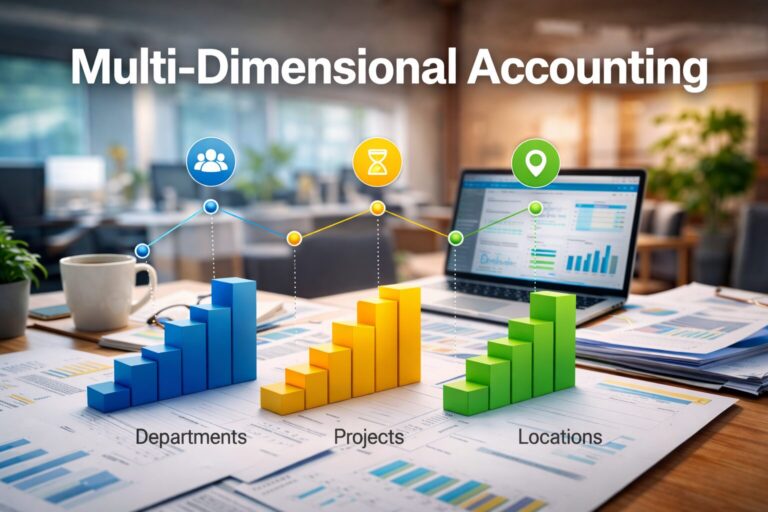
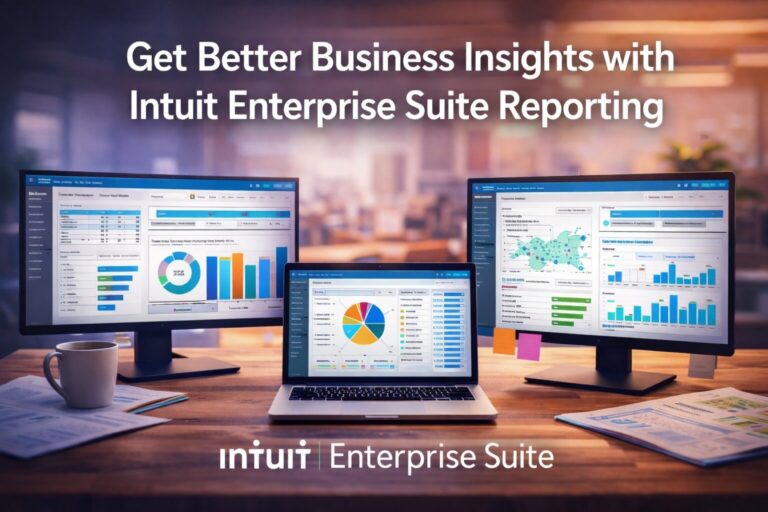
| Reporting & Insights | Basic financial reports | Improved, account-based | Multi-dimensional reporting |
| User Scalability | ▲ Limited | ▲ Limited | ✔ Scalable |
| Project & Job Costing | Basic | Advanced | Advanced, real-time |
| Retail & eCommerce Fit | ✔ Yes | ✖ No | ✔ Yes |
| Manufacturing & Complex Ops | ✖ No | ✔ Yes | ✔ Yes |
Making Your Decision: Which QuickBooks Solution Is Best for You?
If you’re still unsure, here’s a quick guide to help:
- Pick QuickBooks Online if: You need cloud access, mobile flexibility, and easy collaboration.
- Pick QuickBooks Desktop Enterprise if: You need advanced inventory tracking, job costing, and custom reporting.
- Pick Intuit Enterprise Suite if: You run a complex, multi-entity business that requires AI automation and cloud-based enterprise tools.
📌 Need a personalized recommendation? Schedule a consultation with Peak Advisers!
Let Peak Advisers guide you to the best Intuit solution for your business needs! 🚀
Get Expert Help Choosing & Migrating to the Right QuickBooks Version
Choosing the right QuickBooks version is a big decision. Peak Advisers specializes in QuickBooks consulting, migration, and setup.
🔹 Unsure which version is right for you? Please use the button below to book a free consultation.
🔹 Need help moving your data from one QB product to another, or into QuickBooks for the first time? We’ll handle the transition smoothly.
Let Peak Advisers guide you to the best Intuit solution for your business needs! 🚀
FAQ
What’s the main difference between QuickBooks Online, Desktop Enterprise, and Intuit Enterprise Suite?
QuickBooks Online is designed for small businesses with relatively simple accounting needs. QuickBooks Desktop Enterprise supports higher volumes and more advanced features but remains a desktop-based system. Intuit Enterprise Suite is a fully cloud-based platform built for growing businesses that need multi-entity accounting, advanced reporting, and greater scalability.
Is Intuit Enterprise Suite just a newer version of QuickBooks Desktop Enterprise?
No. Intuit Enterprise Suite is not a replacement or upgrade of QuickBooks Desktop Enterprise.
Desktop Enterprise is still a file-based, desktop product. Intuit Enterprise Suite is a modern, cloud-based solution designed for businesses that have outgrown both QuickBooks Online and Desktop and need more flexibility, visibility, and control.
When does QuickBooks Online typically stop being a good fit?
QuickBooks Online often becomes limiting when a business grows beyond basic reporting and structure. Common challenges include managing multiple entities, limited dimensional reporting, user caps, and reliance on spreadsheets to supplement financial insight. These are common indicators that a business has outgrown QuickBooks Online.
Who should consider Intuit Enterprise Suite instead of a traditional ERP?
Businesses that need more than QuickBooks—but don’t want the cost, complexity, or long implementation timelines of traditional ERPs—are often a good fit for Intuit Enterprise Suite. It’s designed for growing and mid-market organizations that need enterprise-level capabilities without enterprise-level overhead.
How should a business decide which option is right?
The right choice depends on your company’s size, complexity, and growth plans. Factors like number of entities, reporting requirements, project tracking needs, and team size are more important than revenue alone. A structured evaluation can help determine whether optimizing QuickBooks, moving to Desktop Enterprise, or upgrading to Intuit Enterprise Suite makes the most sense.